Breaking News 🥳: Spysales - Your Exclusive Tracking Solution After Shopify Updates

Shopify makes it relatively easy to build an online store, add products and begin selling.
The difficult part for many international sellers is accepting customer payments.
Shopify Payments is available only to businesses operating from supported countries and regions. Sellers may also need to provide identification, proof of address, business documents and a supported bank account during verification. When a country or business category is not supported, Shopify directs the seller to use a third-party payment provider.
This creates a common problem:
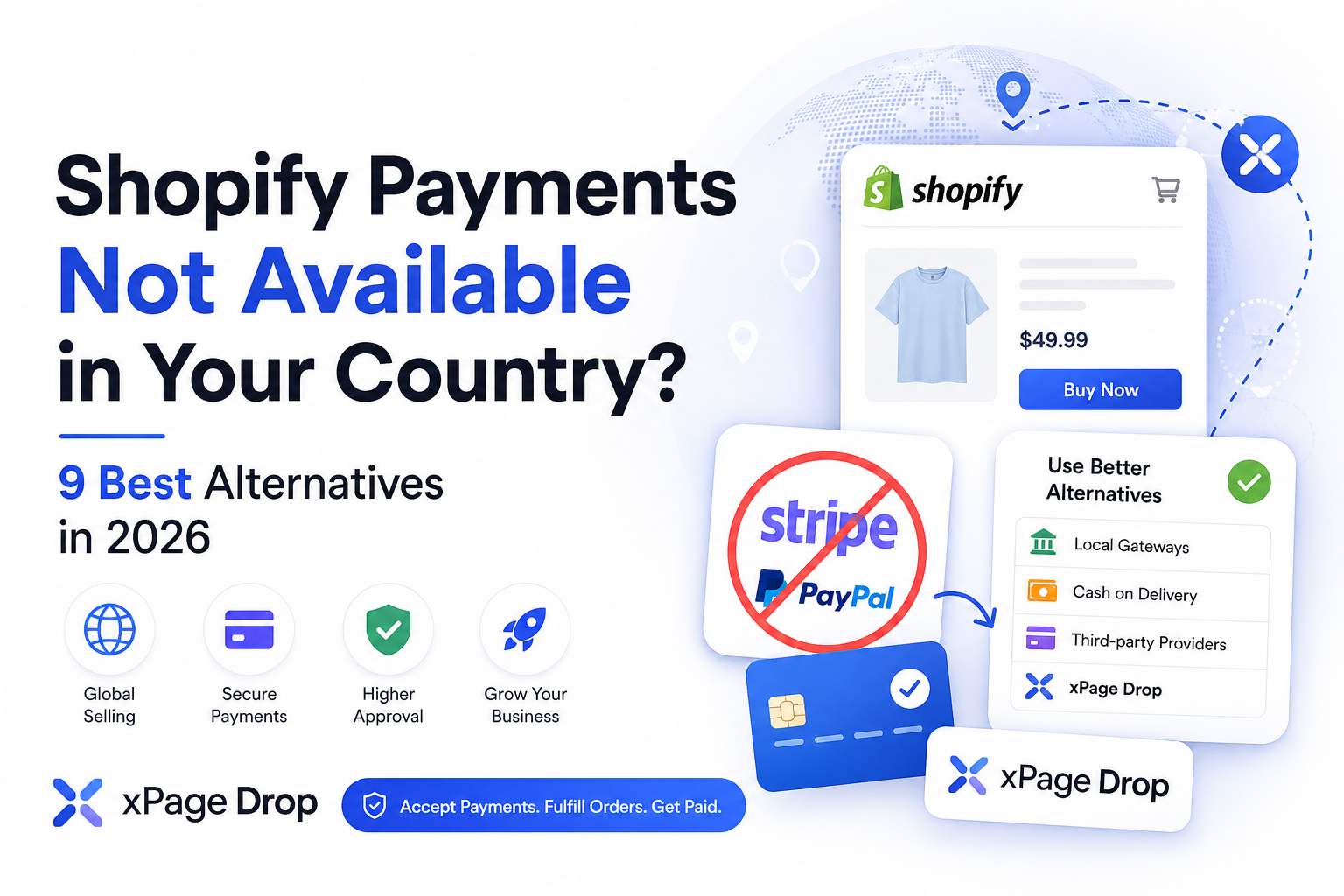
What can you use when Shopify Payments is unavailable in your country?
The answer depends on whether you want to:
This guide compares nine Shopify Payments alternatives for sellers, ecommerce brands and dropshippers in 2026.
Disclosure: xPage Drop is connected to the publisher of this article. It is included because it directly addresses payment access for sellers who cannot connect their own Stripe, PayPal or Shopify Payments account.
The best direct Shopify Payments alternative is usually a third-party provider that appears inside your Shopify payment settings and supports your actual country, business and products.
However, this does not solve the problem for every seller.
Some providers still require:
Sellers who cannot qualify for their own payment gateway may need a different model.
xPage Drop provides a managed ecommerce workflow in which eligible sellers can accept customer payments without connecting their own Stripe or PayPal account. It also connects the payment to supplier fulfillment, customer support, settlement and seller payouts.
xPage Drop is not a third-party gateway installed inside Shopify. It is an alternative selling workflow built into the xPage ecommerce platform.
There are several reasons why a seller may be unable to activate Shopify Payments.
Shopify Payments only operates in specific countries and regions.
The business must generally be located in a supported country. Creating a store while physically living somewhere else does not automatically make the business eligible.
A country may support Shopify Payments while a particular business model, product or service remains prohibited.
Shopify recommends reviewing its eligibility rules and prohibited-business requirements before activation.
The business name, address, owners, bank account and submitted documents need to match the information entered during verification.
Using false information can lead to account restrictions and frozen payouts.
Bank-account requirements differ by country. A virtual account or foreign bank account may not satisfy the requirements for the country where the business is registered.
Payment providers may review factors such as:
Dropshipping is not automatically prohibited, but weak fulfillment and high dispute rates can create serious payment risk.
Some sellers assume they can use Stripe when Shopify Payments is unavailable.
That is not always possible.
In regions where Shopify Payments is supported, Stripe might not appear as a separate Shopify gateway because Stripe is a banking and infrastructure partner behind Shopify Payments. Shopify states that sellers who cannot activate Shopify Payments in one of these regions are also unlikely to find standalone Stripe available as a separate option.
The correct approach is to check the payment providers displayed inside the store’s Shopify admin.
Available providers can vary by:
xPage Drop is designed for ecommerce sellers who cannot or do not want to connect their own Stripe or PayPal account.
Instead of giving the seller a personal payment-processing account, xPage Drop manages the customer-payment stage inside its own selling workflow.
The same order then continues through:
The seller controls:
xPage Drop manages the operational lifecycle beginning with the customer payment.
No.
xPage Drop should not be described as a payment application that sellers install inside Shopify.
It is a managed selling model built into xPage. Sellers who use it operate through the xPage and xPage Drop workflow instead of connecting xPage Drop as a gateway to a Shopify checkout.
This distinction matters because the solution is intended for sellers willing to use an alternative ecommerce infrastructure, not merchants who must remain entirely inside Shopify.
xPage Drop may fit eligible sellers who:
A managed payment model means the seller does not directly control the underlying payment account.
The platform may apply:
Best for: Sellers who need a complete alternative to operating their own Shopify store and payment gateway.
The most direct alternative is a third-party payment provider available inside Shopify.
When Shopify Payments is unavailable, Shopify allows the store owner to select another provider from the Payments section of the Shopify admin. The provider must appear as available for the store’s region and configuration.
Inside Shopify:
The appearance of a provider inside Shopify does not guarantee approval. The payment company still completes its own business and risk review.
Shopify generally charges third-party transaction fees when an external provider processes the payment. These fees are separate from the fees charged by the payment provider and vary according to the Shopify plan.
Best for: Sellers who want to remain on Shopify and can qualify for a supported external processor.
A local gateway may be more accessible than Stripe or Shopify Payments.
These providers are normally designed around the country’s:
A local gateway can be effective when the seller and most customers are located in the same country.
Before creating an account, verify:
Best for: Sellers focusing on customers within their own country or region.
Authorize.net is a third-party payment provider supported through Shopify for eligible merchants.
Shopify provides a dedicated connection process for Authorize.net through the Payments section. However, the merchant still needs an approved Authorize.net account and compatible merchant setup before connecting it.
Authorize.net is not a simple replacement for sellers in every unsupported country. It is more relevant to established merchants who qualify through an eligible merchant-services provider.
Best for: Eligible and established businesses that want a traditional merchant account connected to Shopify.
PayPal can give customers another way to pay without using Shopify Payments.
However, PayPal should not automatically be treated as a complete replacement for a primary card gateway.
Shopify notes that additional payment methods such as PayPal do not necessarily replace the primary provider responsible for standard credit and debit card transactions.
PayPal is usually stronger as an additional checkout option than as the only payment method on an international ecommerce store.
Best for: Sellers who qualify for PayPal and want to add a recognized wallet alongside another payment method.
Cash on delivery allows the customer to place an order online and pay when the package arrives.
Because no online card payment is collected during checkout, the seller does not need Shopify Payments for that order.
Shopify supports manual payment methods such as cash on delivery and bank transfer. Orders processed through manual payment methods are not subject to Shopify’s third-party payment-provider transaction fees.
A cash-on-delivery order should not be counted as completed revenue until the customer accepts and pays for the delivery.
Best for: Sellers operating in countries with reliable local COD logistics.
Shopify stores can accept manual payment methods such as bank transfers.
After the customer places an order, the seller provides payment instructions and confirms the order manually after receiving the money.
Bank transfers are more practical for:
Best for: B2B, wholesale and expensive orders where customers accept a slower payment process.
A marketplace can collect the customer payment without requiring the seller to operate an independent Shopify Payments account.
Possible channels include:
The marketplace collects the payment, deducts its charges and sends the eligible remaining balance to the seller.
A marketplace can be useful for validating demand before investing in a full independent store and payment infrastructure.
Best for: Sellers who prioritize fast access to customers over complete control of the storefront.
Shopify is not the only way to create an ecommerce store.
A seller can use a platform that supports a local payment gateway, managed payments or a different checkout structure.
One route is WooCommerce with a locally supported processor. Another is a managed ecommerce system such as xPage Drop.
xPage is an AI-powered ecommerce platform for generating online stores and product landing pages. It is built around ecommerce launches, product pages and selling workflows.
When combined with managed payments and fulfillment through xPage Drop, eligible sellers can operate without connecting their own Stripe or PayPal account.
Best for: Sellers whose main limitation comes from Shopify’s available payment infrastructure rather than the product itself.
These are different models.
Neither option is automatically better.
A direct merchant account provides more payment control. A managed system reduces the number of operational services the seller must connect and manage.
Using a third-party processor can create two separate payment costs:
Shopify explains that third-party fees cover its checkout infrastructure and integration with external payment providers. The amount depends on the seller’s Shopify plan and payment configuration.
Calculate the complete cost before selecting a provider.
Include:
A provider with a lower advertised processing fee may still be more expensive after the complete operating cost is calculated.
The provider must support businesses or individuals from your actual country.
Confirm that customers in your target markets can complete payments successfully.
Some processors focus on digital products and subscriptions rather than physical ecommerce.
Read the restricted-business policy. Do not assume that a general ecommerce provider automatically accepts dropshipping.
Check whether the provider requires:
Understand when the money becomes available and whether new merchants receive slower payouts.
A provider may hold part of the balance to cover refunds, disputes and chargebacks.
Determine who approves refunds and whether the original processing fee is returned.
Review the dispute fee, evidence requirements and response timeline.
Confirm that the provider appears inside Shopify or provides an approved integration.
Calculate all platform, transaction, currency, reserve and operational costs.
Creating a company can provide access to more financial services, but it also creates ongoing accounting, filing and compliance obligations.
Do not create unnecessary legal complexity before determining whether customers want the product.
Payment providers can request proof of address, ownership and business operations.
False information creates a high risk of account closure and frozen funds.
The account owner becomes responsible for transactions, disputes and compliance.
This creates serious financial and legal risk for both parties.
A store can generate significant sales while running out of cash.
The seller may need to pay suppliers and advertising costs before the payment provider releases customer funds.
Payment access does not fix:
These failures create refunds and chargebacks, which can eventually damage any payment account.
Gross sales are not the same as seller profit or withdrawable balance.
Subtract:
Shopify Payments being unavailable does not mean that a seller cannot operate an ecommerce business.
The available alternatives include:
Sellers who want to remain on Shopify should first check which third-party providers are available inside their Shopify admin.
Sellers who qualify for a reliable provider will usually benefit from directly controlling their merchant account and settlements.
Sellers who cannot access an appropriate gateway can consider moving to another ecommerce model.
xPage Drop allows eligible sellers to accept customer payments without connecting their own Stripe or PayPal account. The same workflow connects those payments to supplier fulfillment, customer support, profit settlement and seller payouts.
The central principle is simple:
Shopify Payments is one payment system. It is not the only way to sell online.
You can use a Shopify-supported third-party provider, a local payment gateway, PayPal, Authorize.net, cash on delivery, bank transfers, a marketplace or a managed ecommerce platform.
The available providers depend on your business country, store configuration and eligibility.
Yes.
Shopify allows merchants to activate supported third-party providers and manual payment methods. If Shopify Payments is unavailable, the available provider list can be viewed inside the store’s Payments settings.
Not always.
In countries where Shopify Payments is available, Stripe might not appear as a separate gateway because it operates as an infrastructure partner behind Shopify Payments.
The best option depends on the seller’s location and structure.
A supported third-party gateway is generally the most direct replacement. A managed platform such as xPage Drop may fit eligible sellers who cannot access their own payment processor and are willing to operate outside Shopify.
Some providers might support individuals or sole proprietors, but requirements vary.
The seller must check the requirements of the selected payment provider and comply with local business and tax laws.
Yes.
Cash on delivery is a manual payment method and does not require Shopify Payments to process the customer’s card online. Shopify does not apply third-party gateway transaction fees to manual methods such as COD and bank transfers.
No.
xPage Drop is a managed payment and dropshipping system built into xPage. It is an alternative selling workflow rather than a payment application installed inside Shopify.
Eligible sellers do not need to connect their own Stripe account to use the managed xPage Drop payment flow. Seller, country, product and compliance eligibility are reviewed during onboarding.
Eligible sellers do not need to connect their own PayPal merchant account. Customer payment collection and seller payouts are managed as separate stages of the xPage Drop order lifecycle.
xPage is an AI-powered ecommerce platform for creating stores and product landing pages.
xPage Drop is the managed selling model that connects customer payments, fulfillment, support, settlement and eligible seller payouts.